

Overview
After obtaining an access token, your POS system can interact with the Widgets platform through a sequence of API calls. This flow allows you to retrieve available widgets, initiate a widget session, and display the resulting QR code on the customer-facing screen (CFS) or deliver it via other supported methods (e.g., email or SMS).Manual Flow Steps
1
Add Products to Cart
Merchant adds products to the shopping cart.
2
Proceed to Checkout
Merchant proceeds to the checkout process.
3
System Checks
During checkout, the POS system completes several checks:
- Check if post-purchase transactions are enabled
- Check if POS Rules are enabled
4
Show Confirmation Modal
If POS Rules are disabled, a confirmation modal is shown proposing to use ClearLine Marketing apps.
5
Display Marketing Apps
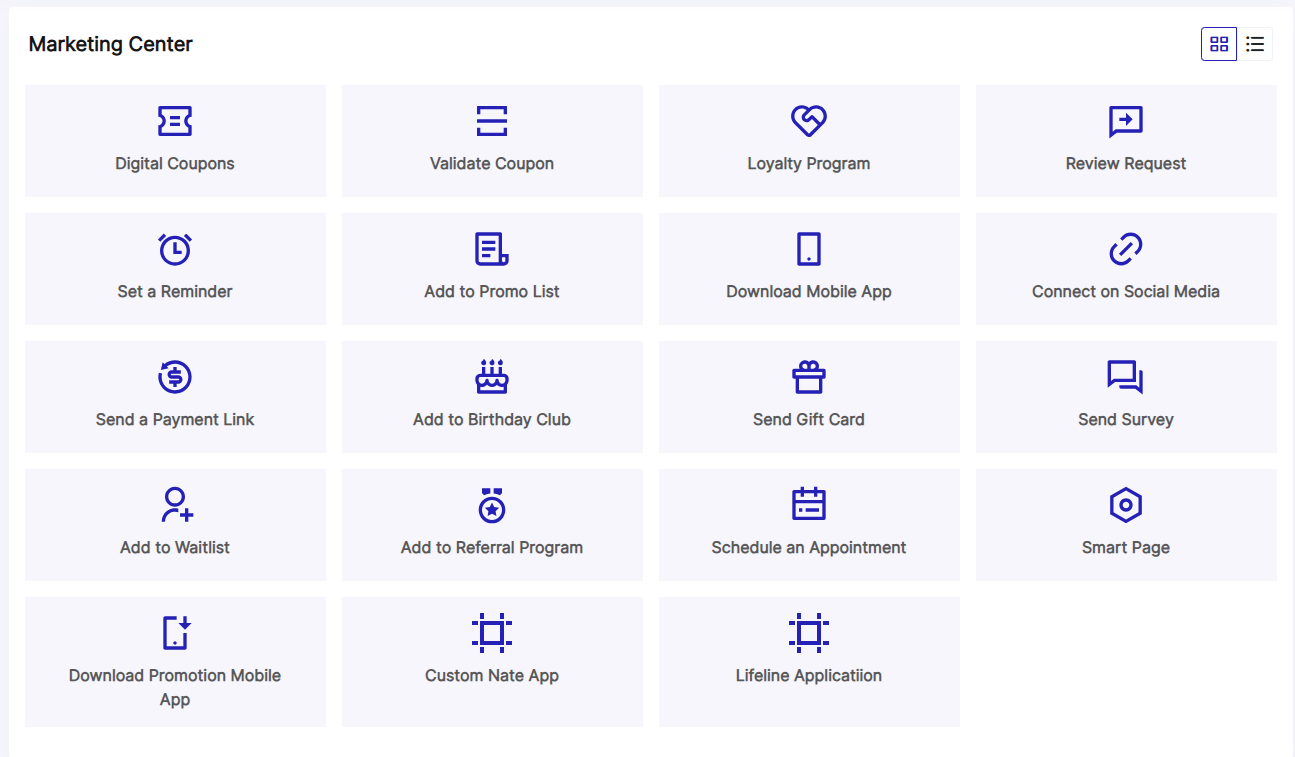
If merchant confirms to proceed with ClearLine Marketing, a modal is shown with the marketing apps list (tiles view).Endpoint: Get Available Widgets (Marketing Apps)
6
Select Marketing App
Merchant clicks on one of the marketing apps.Endpoint: Start a Widget Session (Display QR Code preview)
7
Complete Session
Merchant clicks the “Open QR Code” button or “Send” button.Endpoint: Complete the Widget Session
8
Deliver Content
ClearLine app shows the QR Code template (modal) or sends SMS/email to the customer.
Get Available Widgets (Marketing Apps)
Retrieve a list of widgets available for a specific POS location. These widgets can be used to engage customers through various delivery methods like QR codes, emails, or SMS.Headers
Path Parameters
Request Body
Response Fields
array
Array of available widget objects
UI Example
Start a Widget Session
Initiate a widget session and preview the QR code.Headers
Path Parameters
Request Body
Response Fields
object
Widget session data
Show Widget QR Code
Display the widget QR code to the customer on the customer-facing screen.Headers
Path Parameters
Request Body
Profile Object
Response Fields
object
QR code display data
Send Widget QR via Email or SMS
Send the widget QR code to the customer via email or SMS instead of displaying it on the customer-facing screen.Headers
Path Parameters
Request Body
Profile Object
At least one of
customerEmail or customerPhone must be provided to send the message.Response Fields
object
Empty object returned on successful message delivery
Next Steps
Checkout Integration Flow
View the complete checkout integration workflow
Widget API Reference
Explore all widget endpoints
Authentication
Learn how to authenticate API requests
POS Settings
Configure manual vs automated flow